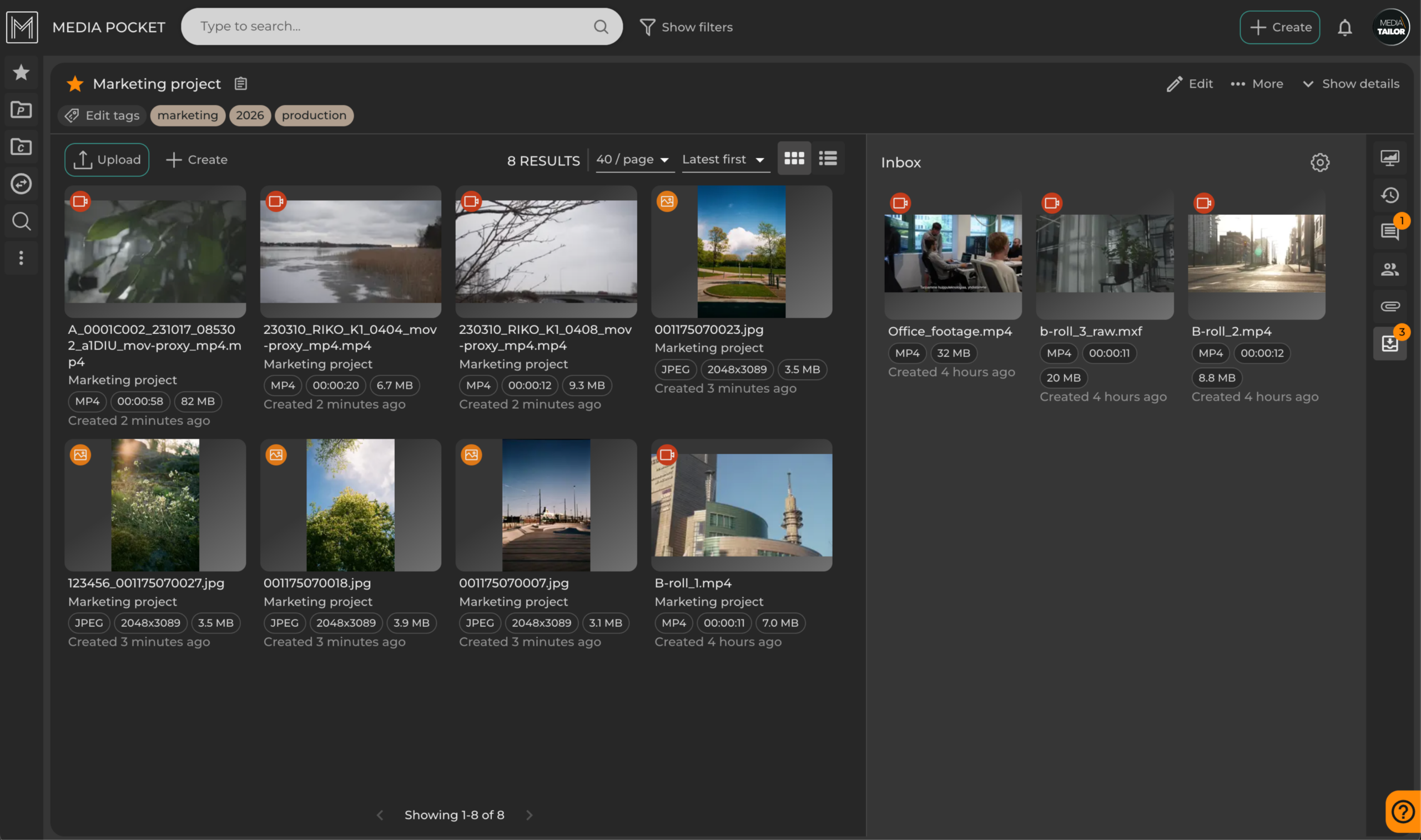
Make Sharing Media Files Feel Effortless
If you’ve ever chased files across email threads, broken or account-protected cloud links, and “can you resend that?” messages, you already know the problem. Sharing media shouldn’t feel like project management.

With the latest updates and features in Media Pocket, it truly doesn’t.
We’ve streamlined how files move in and out of your organization so that sharing becomes a smooth, almost invisible part of your workflow. No friction, no confusion, just the right people getting the right files at the right time.
One link in, one link out
This essential media sharing process in Media Pocket is beautifully simple. We can break it down into two parts: inbox and outbox.
With inbox, you can:
- collect files from external partners through a single, easy-to-use upload link
- organize and review content internally in your environment.
While with Outbox:
- share curated materials back out using one controlled link.
No accounts needed for external users. No messy back-and-forth.
It’s the kind of flow that feels obvious once you have it, and hard to live without once you’ve tried it.
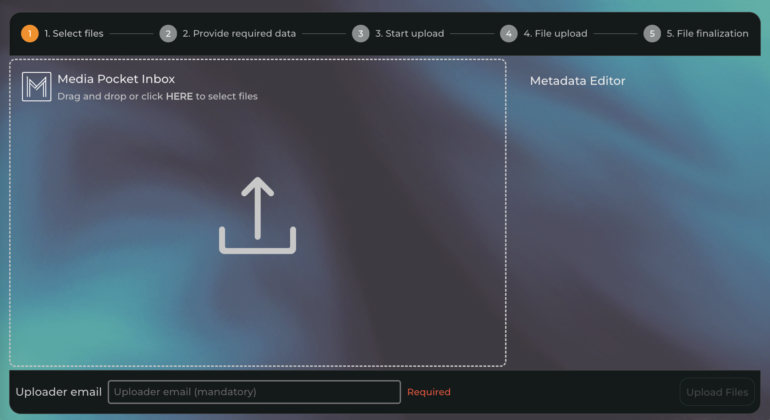
Caption: Inbox upload page. External partners can upload files instantly, no login required.
A smoother way to collaborate with external partners
Instead of sending instructions, reminders, and separate links, you can now just… send one.
With inbox, external collaborators open a link in their browser, add a passcode, upload what you need, and they’re done. On your side, you just send that link with a passcode, and then everything lands where it should, ready for review.
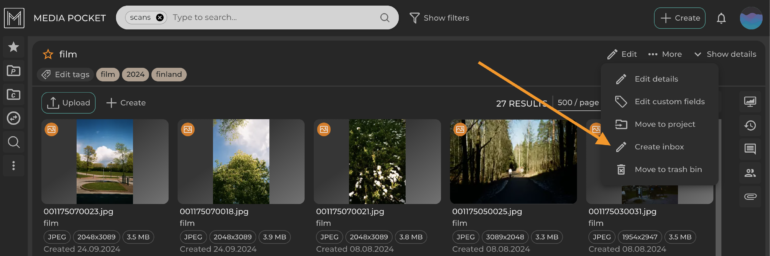
Caption: Create and manage inbox upload links in seconds.
And when it’s time to share materials back out, you don’t need to package files manually or worry about access rights scattered across tools. You can just create an outbox link for the selected assets. That’s how simple it is.
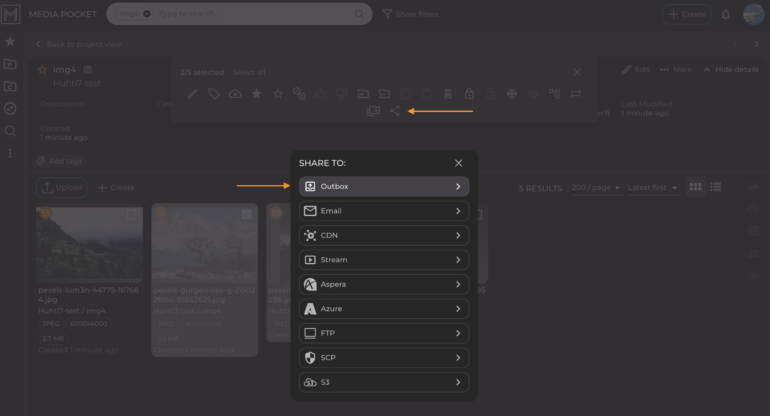
Caption: Share multiple files through one simple, controlled link.
One link gives your partners exactly what they need, whether that’s previewing content or downloading it, depending on the permissions you’ve chosen for the link. As long as the link exists, you can add and remove files however you like.
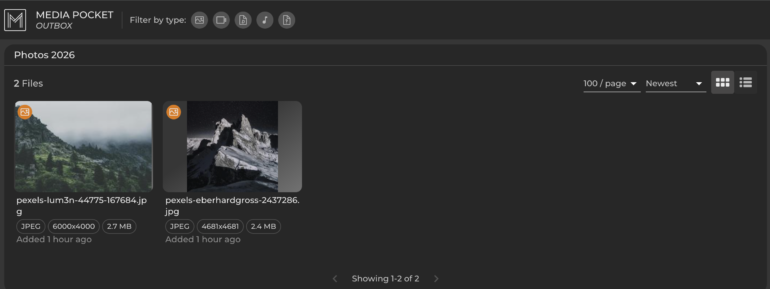
Caption: Recipients get a clean, intuitive experience.
It’s controlled, but never complicated.
Less admin, more momentum
What this really changes isn’t just file sharing, it’s how work flows.

Fewer interruptions

Fewer “where is this file?” moments

Less manual coordination

More time spent on actual content
Teams move faster because the system quietly handles the logistics in the background.
Keen to try out yourself?
Take a look at how the Swiss company Vestergaard uses Media Pocket to streamline their content workflows and how these features support their day-to-day collaboration. Read the case study here.
Or even better, get in touch, and we’ll show you how it could work for you.
Want to hear more?
- Media management
- Sales

Kristian Lauronen
Head of Media Management Solutions
+358 44 587 7771
kristian.lauronen@mediatailor.fi
Book a product demo- Media management

- Sales

- Sales

Related articles

 Vestergaard
Global Mission, One Platform: Vestergaard Chose Media Pocket for their Media Asset Management
Swiss-based Vestergaard receives and distributes digital materials worldwide using Media Pocket.…
 Yle
YleMedia Pocket Is Yle’s First Choice as a DAM Solution
Media Pocket serves Yle as a centralized image management platform for organizations’ massive and constantly…

 Keskisuomalainen
Content for Thousands of Platforms Across Finland – How Keskisuomalainen Streamlines Distribution with Media Pocket
Keskisuomalainen delivers news and advertising content to thousands of digital…

 RUSSMEDIA
Media and Change Management From Finland to Austria – Media Giant Russmedia Chose Media Pocket for Its Digital Asset Management Solution
Banijay Finland and Media Tailor have formed a strong, innovation-driven…